How do I link my own subdomain to my Writizzy blog?

TL;DR
In no time at all, you’ll see just how easy it is to link your subdomain to your Writizzy blog
Table des matières
- Step 1: Point your subdomain to Writizzy
- Step 2: Set up your custom domain in Writizzy
- Step 3: Check that everything is working
My starting point:
- You have a blog on Writizzy
- You can add a DNS record with your hosting provider. This demo will use OVH, but the process is broadly the same for all providers
Let’s take a look at how to set this up very simply.
Step 1: Point your subdomain to Writizzy
You need to configure your domain or subdomain to point to your Writizzy blog address. Example: I want to map my subdomain a-day-with-laravel.happyto.dev to my blog a-day-with-laravel.writtizy.com.
I go to my dedicated control panel at OVH:
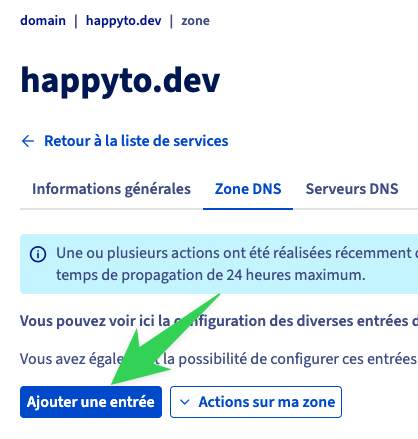 Click on "Ajouter une entrée".
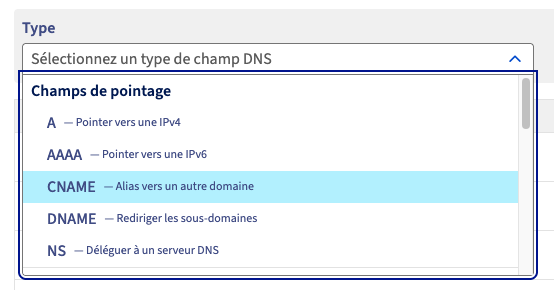
Select CNAME as the record type:
 Add your entries
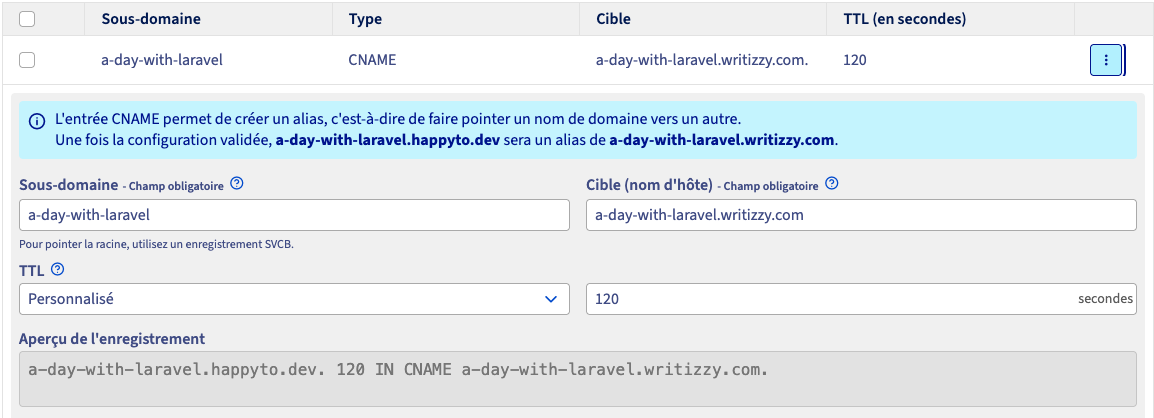
Subdomain: your subdomain. For me, it’s a-day-with-laravel Target: the domain your subdomain should point to (be redirected to). In this case, the address of my blog on Writizzy is a-day-with-laravel.writizzy.com
Once everything has been entered, you can click on "Add".
It can take up to 48 hours for this configuration to propagate across the DNS servers.
Be patient!
Step 2: Set up your custom domain in Writizzy
Once your configuration has propagated to DNS servers worldwide – which you can check using tools such as DNSChecker – you will be able to configure your Writizzy blog to link to your URL.
Go to the domain management page: https://writizzy.com/dashboard/settings/domains
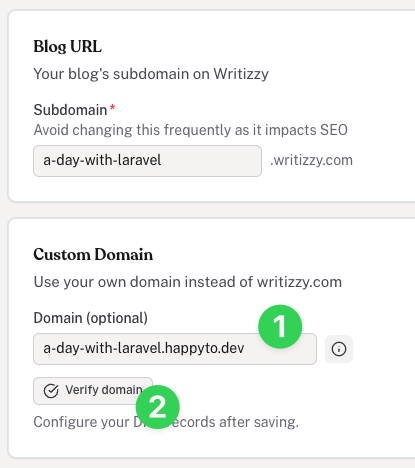
- Enter the address of the subdomain you have just set up with your hosting provider
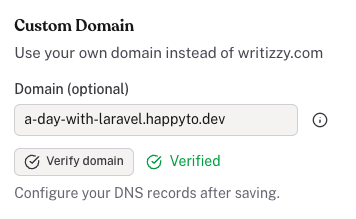
- Click on "Verify domain" – obviously, you will need to wait for your subdomain to propagate fully (see step 1)
and you should then see the word "Verified" appear to the right of the "Verify domain" button
Step 3: Check that everything is working
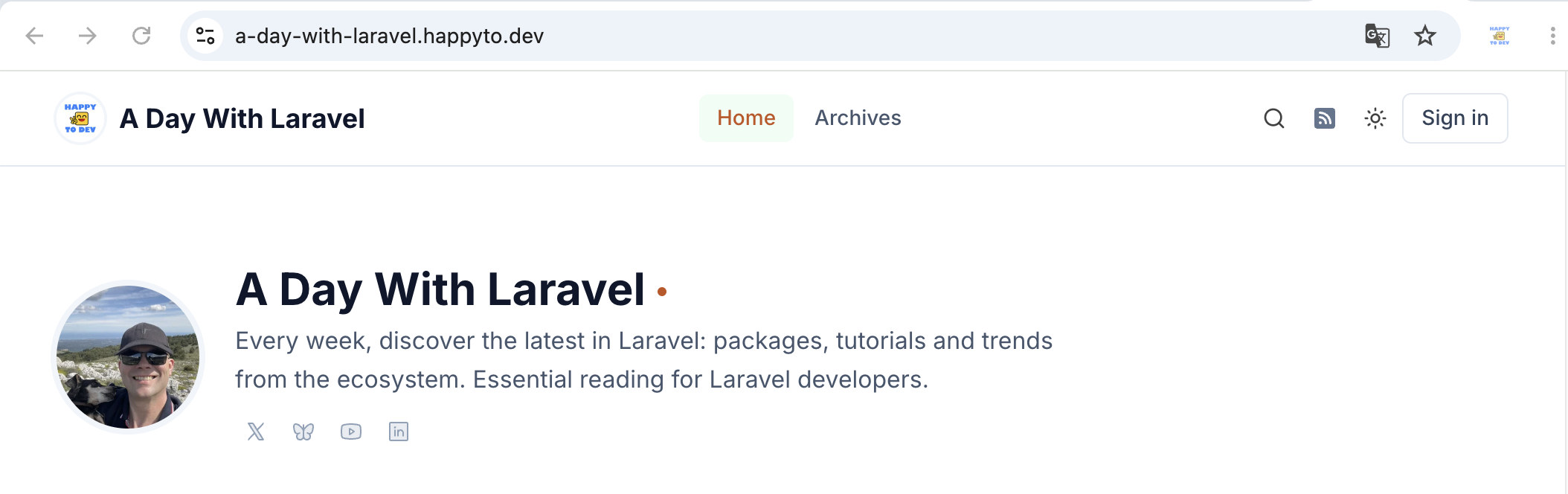
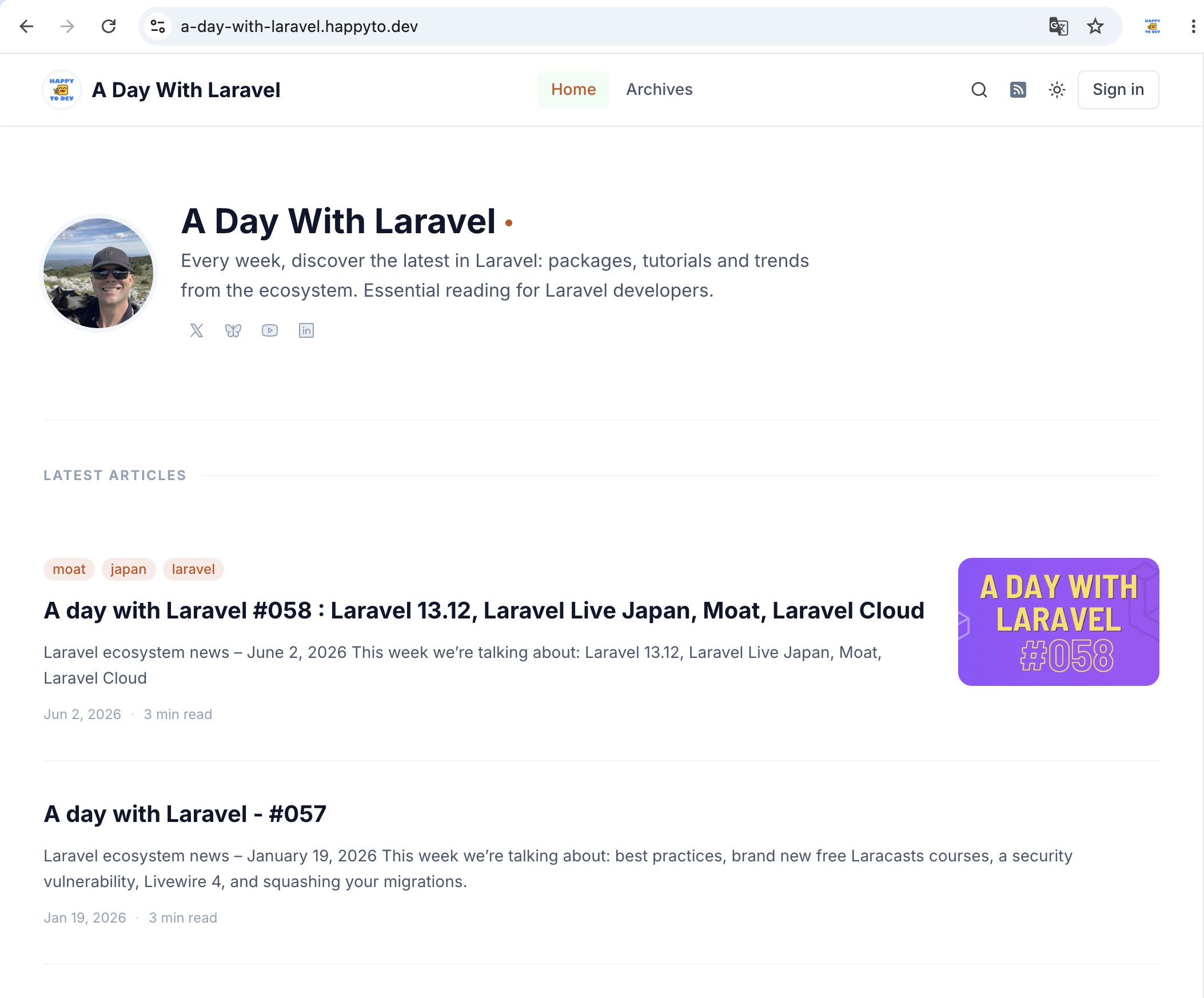
Go and check that everything is working properly, of course. And as far as I’m concerned, it works:
 Thank you to the Writizzy team!
À propos de l'auteur
HappyToDev
Hello moi c'est Fred, mais vous me connaissez plutôt via mon pseudo : HappyToDev.
Ma bio
Mari et 2 fois papa 💪
Ex de la Marine Nationale 🫡
Passionné d'informatique depuis mes 10 ans, j'ai le code dans la peau. Je suis toujours partant pour un laravel new 😉
Créateur des newsletters 🗞️ :
Créateur de Framework Heroes 🦸🏽♀️🦸🏻♂️
J'avais envie de faire ce site depuis plusieurs mois pour donner naissance à un job board spécialisé sur les devs utilisant des frameworks. J'espère que le concept vous plaira et que vous m'aiderez à le développer en m'apportant de nouvelles idées.
Précision utile : pour les devs c'est gratuit et vous pouvez y créer votre page profile et la partager avec une url unique. Voici la mienne en exemple
Jeter un oeil à Framework Heroes
Créateur de GiftKeepr 🎁
Une question simple : recevez vous des cadeaux qui ne vous plaisent pas à votre anniversaire, à Noël ou lors d'autres occasions ?
GiftKeepr est là pour que cela n'arrive plus jamais. Et c'est super simple !
- Créez votre profil
- Renseignez les cadeaux que vous souhaitez
- Communiquez votre adresse GiftKeepr à votre entourage
- Recevez les bons cadeaux pour les occasions que vous avez défini
- Easy peasy !!
Commentaires ()
Aucun commentaire pour le moment. Soyez le premier à commenter !