How do I link my own subdomain to my Writizzy blog?

TL;DR
In no time at all, you’ll see just how easy it is to link your subdomain to your Writizzy blog
Table of contents
- Step 1: Point your subdomain to Writizzy
- Step 2: Set up your custom domain in Writizzy
- Step 3: Check that everything is working
My starting point:
- You have a blog on Writizzy
- You can add a DNS record with your hosting provider. This demo will use OVH, but the process is broadly the same for all providers
Let’s take a look at how to set this up very simply.
Step 1: Point your subdomain to Writizzy
You need to configure your domain or subdomain to point to your Writizzy blog address. Example: I want to map my subdomain a-day-with-laravel.happyto.dev to my blog a-day-with-laravel.writtizy.com.
I go to my dedicated control panel at OVH:
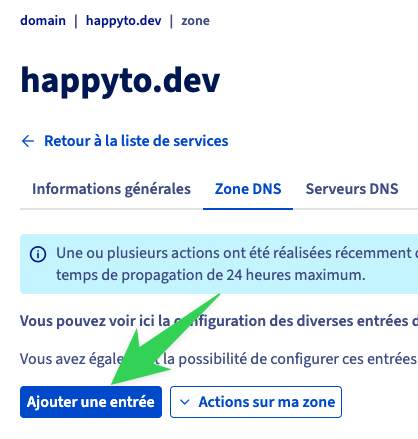 Click on "Ajouter une entrée".
Select CNAME as the record type:
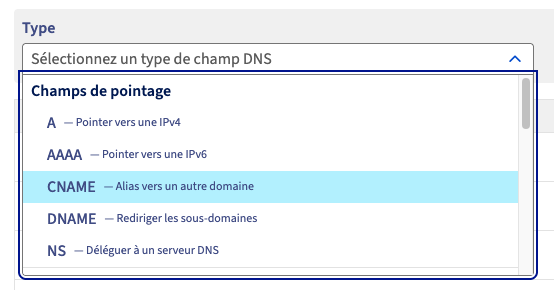 Add your entries
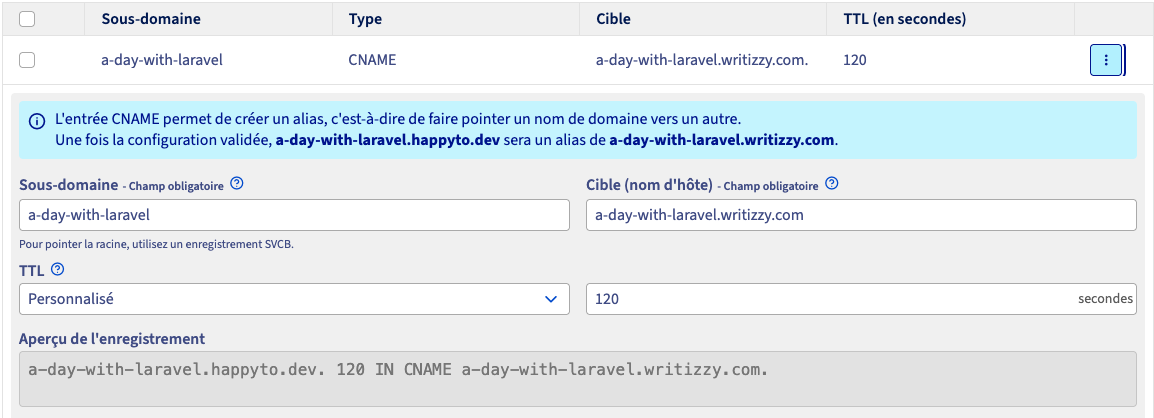
Subdomain: your subdomain. For me, it’s a-day-with-laravel Target: the domain your subdomain should point to (be redirected to). In this case, the address of my blog on Writizzy is a-day-with-laravel.writizzy.com
Once everything has been entered, you can click on "Add".
It can take up to 48 hours for this configuration to propagate across the DNS servers.
Be patient!
Step 2: Set up your custom domain in Writizzy
Once your configuration has propagated to DNS servers worldwide – which you can check using tools such as DNSChecker – you will be able to configure your Writizzy blog to link to your URL.
Go to the domain management page: https://writizzy.com/dashboard/settings/domains
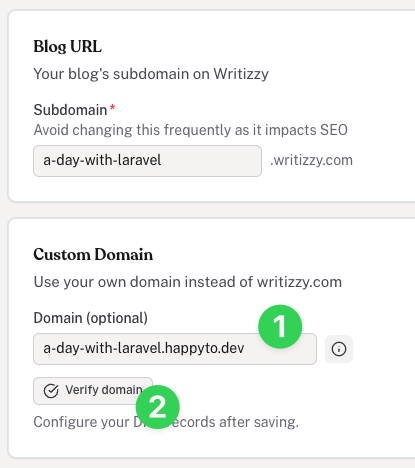
- Enter the address of the subdomain you have just set up with your hosting provider
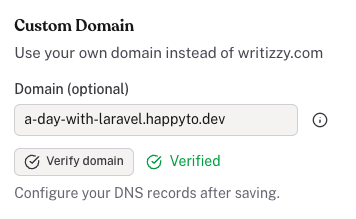
- Click on "Verify domain" – obviously, you will need to wait for your subdomain to propagate fully (see step 1)
and you should then see the word "Verified" appear to the right of the "Verify domain" button
Step 3: Check that everything is working
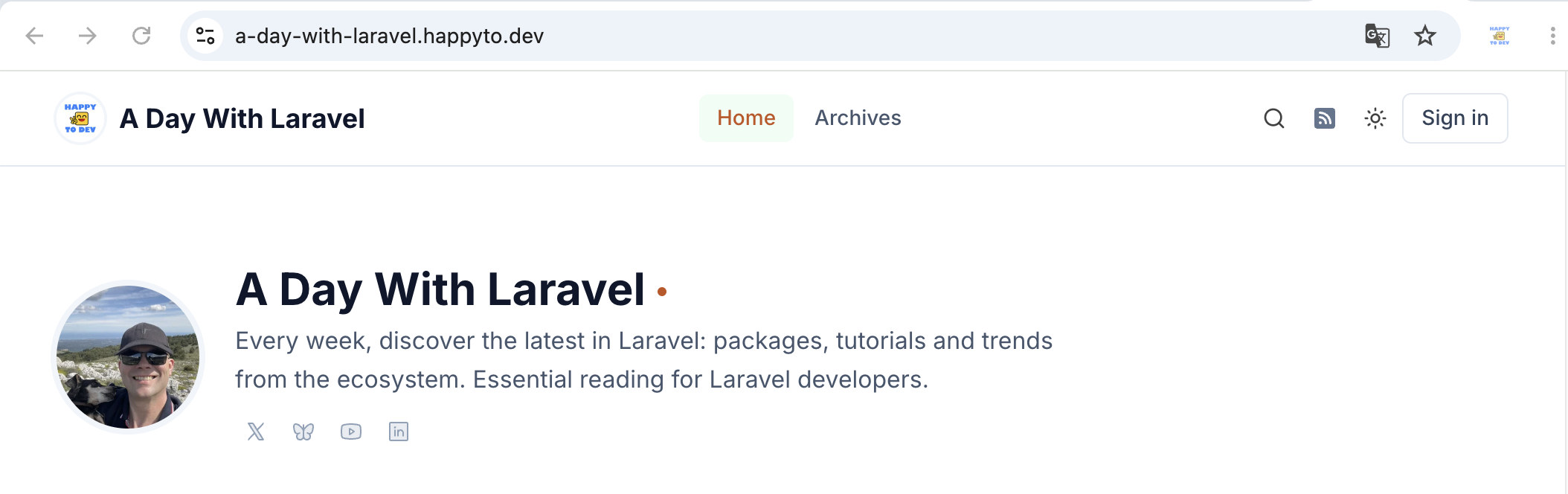
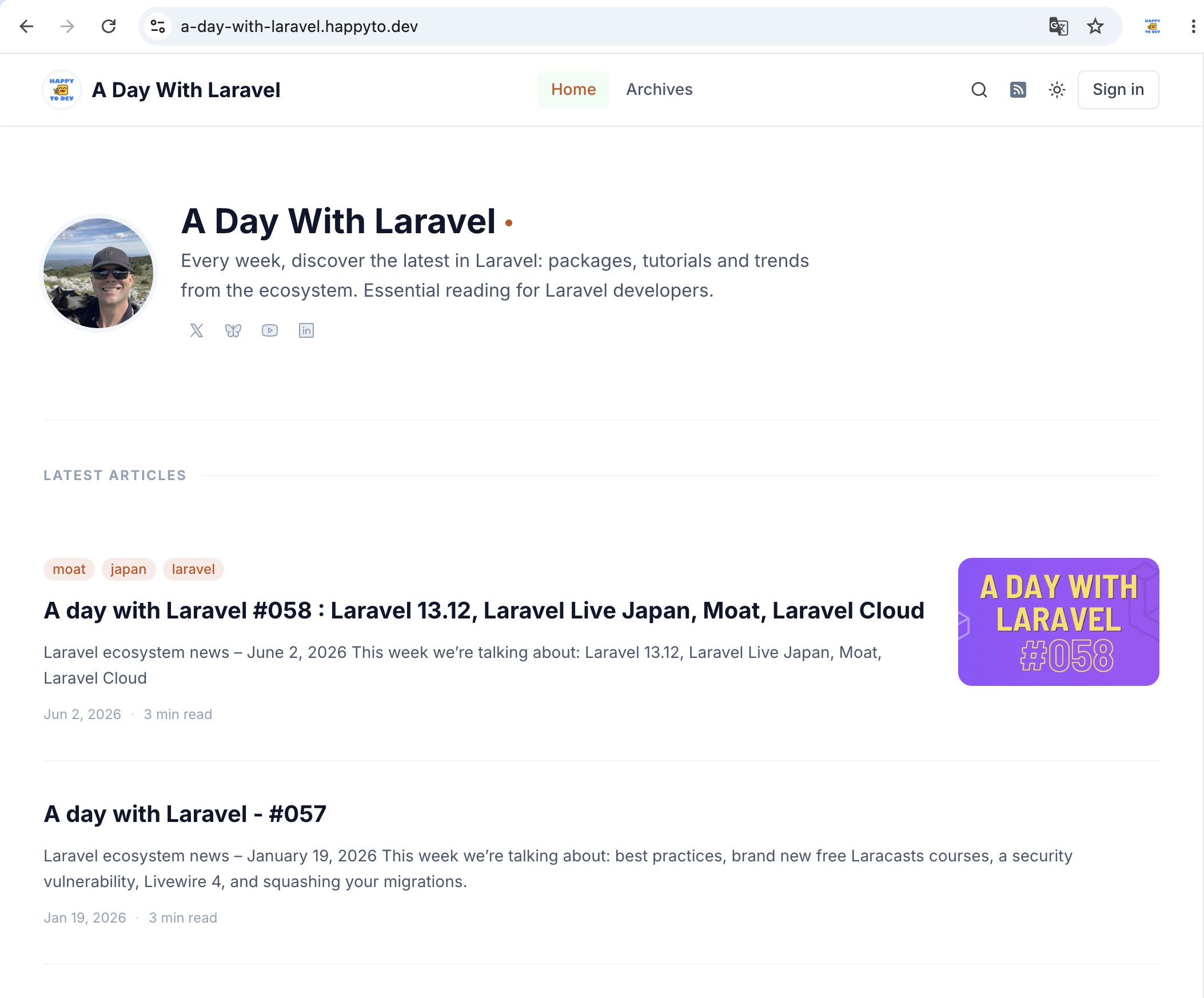
Go and check that everything is working properly, of course. And as far as I’m concerned, it works:
 Thank you to the Writizzy team!
About the author
HappyToDev
Hello it's Fred, but you know me more by my nickname : HappyToDev.
My bio
Husband and twice dad 💪
Ex of the French Navy 🫡
I've been passionate about IT since I was 10, and code is in my blood. I'm always up for a laravel new 😉
Newsletter creator 🗞️ :
Framework Heroes creator 🦸🏽♀️🦸🏻♂️
I've been wanting to create this site for several months to create a job board specialising in devs using frameworks. I hope you like the concept and that you'll help me develop it by contributing new ideas.
Comments ()
No comments yet. Be the first to comment!